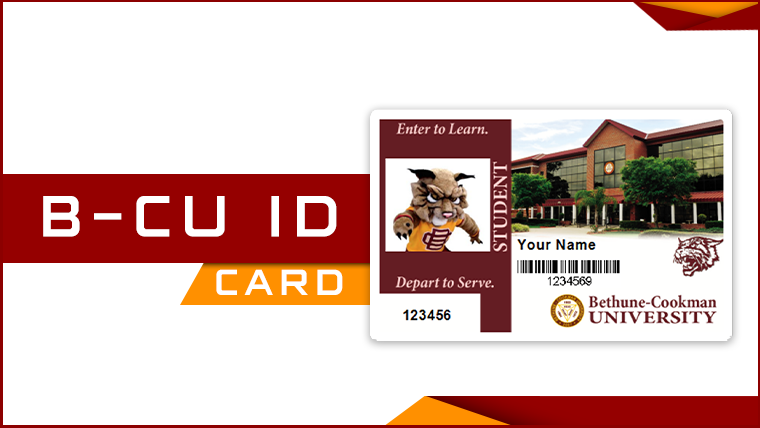
Wildcat ID Card
How can I upload my ID photo?
Step 1: Review the photo requirements below:
Step 2: Log into the GET portal (click "Sign up now!" and register using your BCU ID number and BCU email address)
Step 3: Select “Upload ID Photo” in the navigation menu
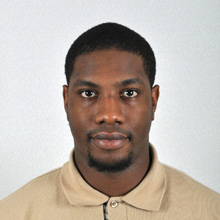
The Wildcat ID Card photo requirements are similar to those for U.S. Passports. The photo you submit must:
-
-
- Be of yourself
- Be taken within the last 6 months to reflect your current appearance
- Be in color
- Be taken in front of a plain white background
- Have a small space between the top of your head and the top of the image.
- Have a slightly larger space between the bottom of your chin and the bottom of the image
- Be taken in full-face view directly facing the camera (No side profiles or tilted head!)
- Be taken with a neutral facial expression or a natural smile with both eyes open
- Be taken in clothing that you normally wear on a daily basis
- You may only wear a head covering if you wear it daily for religious or medical purposes Hairbands, headphones, wireless hands-free devices or similar items are NOT acceptable in your photo
- If you normally wear prescription glasses, a hearing device or similar articles, they may be worn for your photo.
- Dark glasses, transitional glasses (if they don’t lighten up enough), or non-prescription glasses with tinted lenses are NOT acceptable unless you need them for medical reasons (a medical certificate may be required).
-
Examples:
Acceptable Passport Photos




Unacceptable Passport Photos

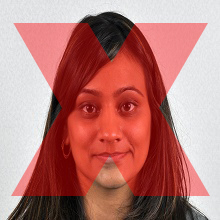

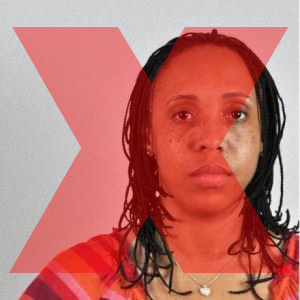
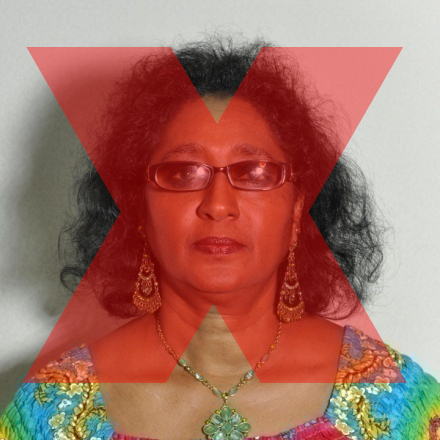
The Center for Information Technology (CIT) Office reserves the right to reject any photo that we feel is inappropriate.
Wildcat Cash
The Wildcat ID Card is a multi-functional card that serves as your official Bethune-Cookman University ID and as a debit card with a prepaid balance. This currently allows you to use Wildcat Cash to make purchases at the Bethune Cookman Campus Bookstore.
Students can add Wildcat Cash to their Wildcat ID through the GET portal with a debit or credit card, or with cash at the Cashier's Office in White Hall.
Meal Plan Points A.K.A "Wildcat Bucks"
Students can enroll into a Meal Plan with Bethune Cookman University via the University Registrar's Office. At the beginning of each semester, your Meal Plan Points (lovingly referred to as Wildcat Bucks or simply Points) are loaded onto your Wildcat ID. These funds can be used at our Dining Hall and our retail dining locations Auditions/Wildcat Wingz and Starbucks/Station 1904.
There are two different meal plan routes you can take: the Wildcat Residental Meal Plan is for on-campus students and the Commuter Meal Plans are for off-campus students.
Students can add Wildcat Bucks through the TransAct app/website with a debit or credit card or in-person at the Sodexo Administrative Office in the Parlin Student Center.
Need to purchase or make changes to your meal plan? Visit the Student Accounts Office to enroll in a meal plan or request any changes to your current selection.
Need more information? Visit our Sodexo Dining Services partner site for more information.